Custom Grids
Real estate photos with a phone: the grid setup for cleaner rooms
A phone real estate photography workflow for straighter room lines, consistent corners, better listing photos, and less editing later.
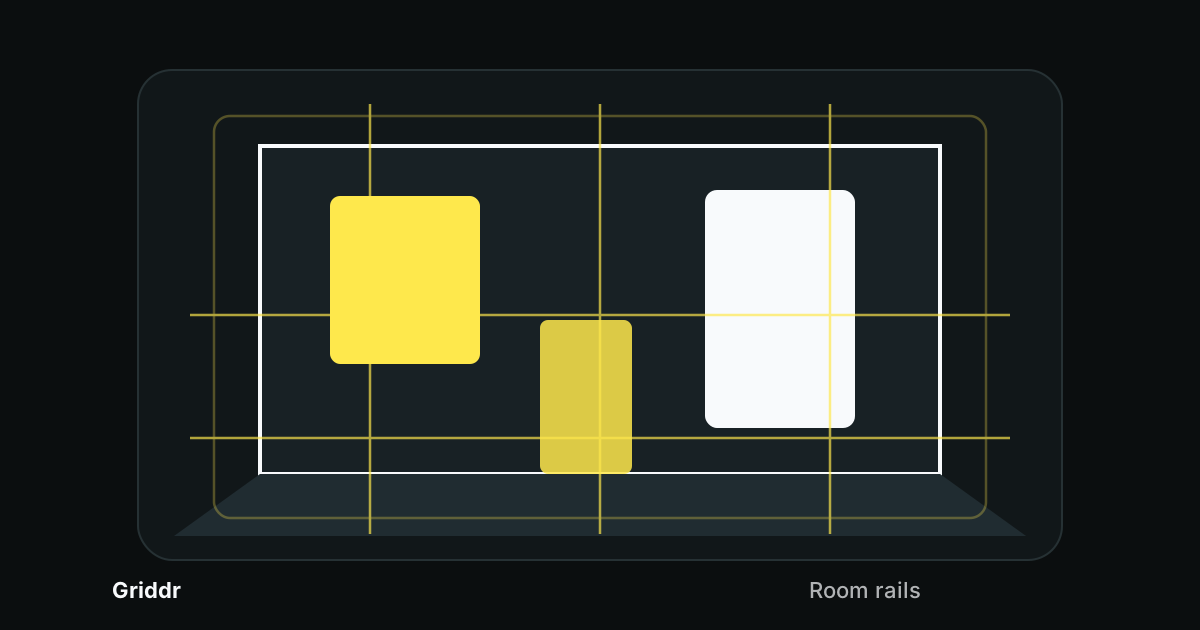
Real estate photos do not need to be dramatic. They need to be trustworthy. A room should look clean, straight, bright, and easy to understand. The fastest way to lose that trust is a crooked wall, a leaning doorway, or a wide-angle frame that makes the room feel stretched.
A grid will not stage the room for you, but it will keep the phone honest. It gives you a repeatable way to square the room before you shoot.
Start with the corners
Most interior photos are built around wall corners. A corner tells the viewer how the room is shaped, where the floor goes, and whether the camera is tilted.
Before you take the photo, find one of these anchors:
- the main wall corner
- a door frame
- a window edge
- a cabinet side
- a bookshelf edge
- a vertical tile line
- a curtain edge
Align one vertical anchor to the grid, then check a second vertical on the other side. One straight line can trick you. Two straight lines tell you the phone is actually square.
This is the real estate version of straight architecture photos, but the stakes are tighter because small rooms exaggerate every mistake.
Build a room rails grid
In Griddr, create a custom grid called Room rails:
- Add a vertical center line at 50%.
- Add vertical rails at 25% and 75%.
- Add a horizontal line at 50%.
- Add a lower floor reference line at 70%.
- Add a safe-margin frame around 8%.
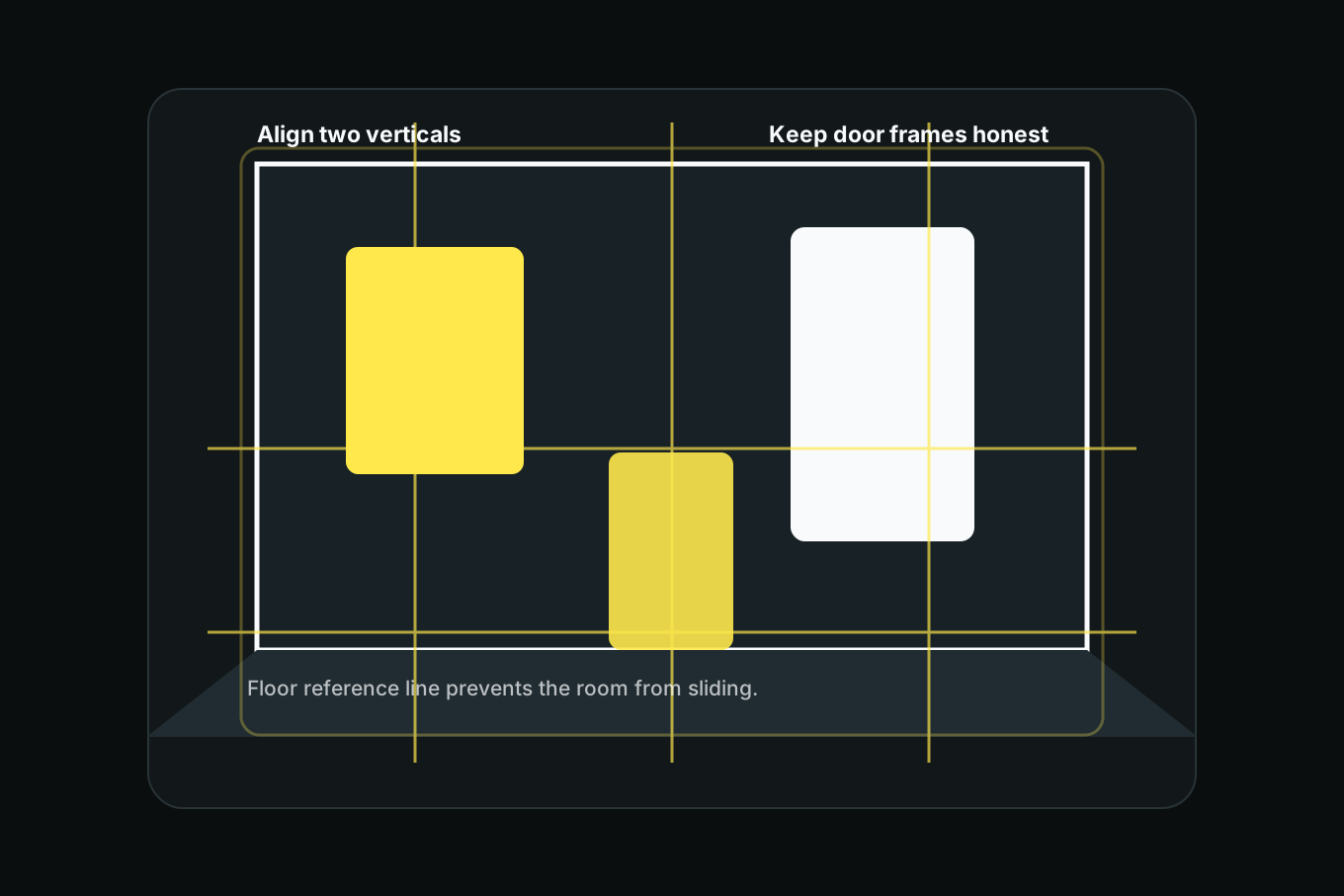
The vertical rails keep doorways and corners straight. The lower floor line helps you place the floor without making it swallow the whole frame.
Shoot from the right height
Phone real estate photos often look strange because the phone is too high or too low. Eye-level can make countertops feel low. Waist-level can make ceilings feel too tall. Overhead can flatten a room into furniture shapes.
For most rooms, start around chest height. Then adjust:
- Kitchens often want the phone near counter height.
- Bedrooms usually want chest height or slightly lower.
- Bathrooms need the phone high enough to avoid sink distortion.
- Living rooms can sit around the height of the main furniture.
- Hallways need the phone centered between walls.
Height should make the room understandable, not heroic.
Be careful with the ultra-wide lens
The wide lens is tempting because it fits more room into the frame. It can also bend the room until the walls feel rubbery.
Use the wide lens only when the room is too small for a normal lens and you cannot step back. When you use it, keep the phone as level as possible and leave extra margin. The edges of the frame distort first, so do not put important walls, windows, or furniture tight against the edge.
If the room can fit with the 1x lens, use 1x. A truthful room photo beats a stretched room photo.
A listing photo should make the room legible before it makes the room impressive.
The five-photo room routine
For each important room, shoot a small set:
- Corner view from the doorway.
- Reverse corner view from the opposite side.
- Straight-on feature wall or window.
- Detail shot of the best feature.
- Vertical crop for social or listing cards.
Use the same Room rails grid for all five. Keep the verticals honest, then vary the composition. This gives the listing a consistent feel without making every image identical.
If you are documenting a renovation, save the grid and reuse it later. The method is the same as before-and-after photos: match the camera first, then show the change.
What the grid cannot fix
The grid is not a cleaning crew. It will not fix clutter, mixed light, bad staging, or a room that needs one fewer chair. Do the basic room reset before shooting:
- open blinds or curtains
- turn off harsh mixed lighting if window light is better
- straighten bedding and cushions
- clear counters
- remove visible cords and small clutter
- close toilet lids and cabinet doors
- check mirrors for reflections
Then use the grid. Composition works best after the room stops fighting you.
Common real estate phone photo mistakes
Tilting up to include the ceiling. The walls lean backward. Step back or lower the phone slightly instead.
Letting the floor dominate. Too much floor makes the room feel empty. Use the lower floor line as a limit.
Shooting every room from the same corner. Match the grid, not the exact viewpoint. Choose the corner that explains the room best.
Trusting the wide lens too much. If the edges look stretched, the room will feel less believable.
Ignoring mirrors. Mirrors reveal the phone, the photographer, and crooked lines. Check them before you shoot.
Real estate photography with a phone is mostly about removing doubt. Straight lines, stable corners, and consistent height make the room easier to trust. Griddr gives you those checks before the photo becomes a listing.
Related reading
Shoot this with Griddr
Get Griddr — free on iOS & Android