Composition
Flat lay photography with a phone: use a grid before you arrange props
A phone flat lay photography workflow for overhead alignment, prop spacing, negative space, and cleaner food, product, desk, and social photos.
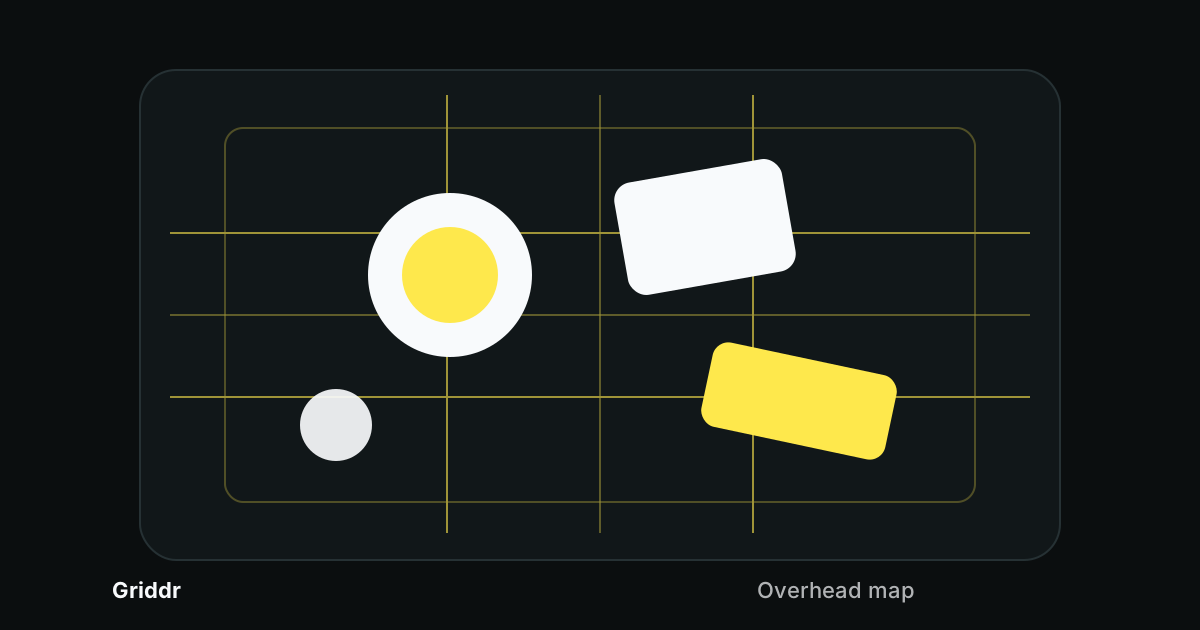
Flat lays look casual when they work, which is rude, because they are not casual at all. A good overhead photo is a small layout system: one main subject, a few supporting shapes, clear spacing, and a phone that is actually parallel to the table.
The grid helps with both parts. First it tells you whether the phone is square to the surface. Then it gives you a map for arranging the scene.
Start with the parallel test
Before moving props around, check the phone angle. If the phone is tilted, every rectangle in the scene will look wrong: notebooks taper, plates turn oval, product boxes lean, and table edges drift.
Use a simple 3x3 or 4x4 grid and align it to something rectangular in the scene:
- the edge of the table
- a cutting board
- a notebook
- a tray
- a product box
- the tile grout line below the setup
If the object's edges are not parallel to the grid, fix the phone first. Move the phone, not the object. Once the camera is square, composition decisions actually mean something.
Build an overhead map
For flat lays, I like a custom grid with:
- A standard 3x3 grid.
- A center cross at 50%.
- A soft safe-margin frame around 10%.
The 3x3 grid gives you intersections for the main subject. The center cross helps when the scene is meant to feel symmetric. The safe-margin frame keeps props from kissing the edge of the crop.
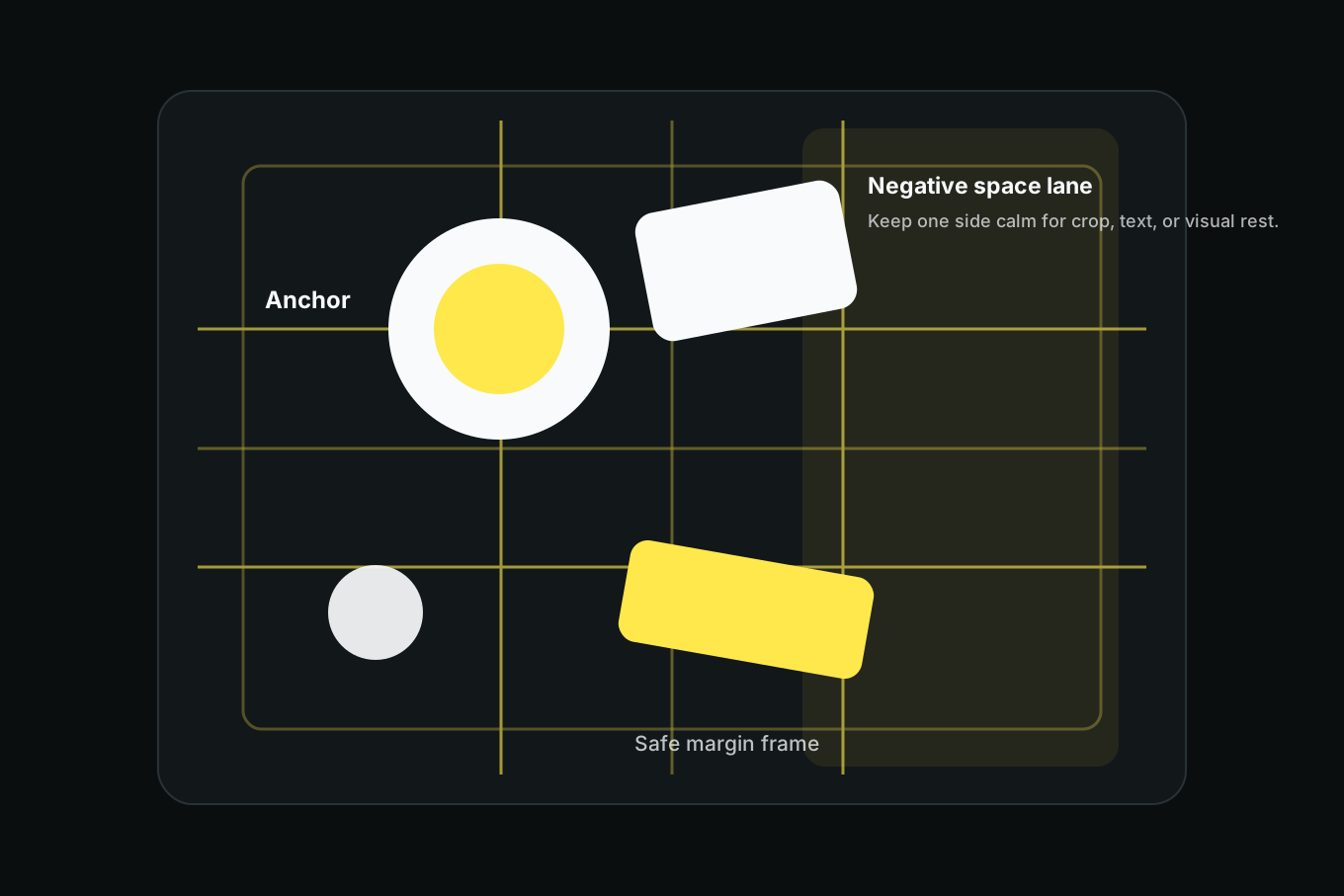
This is the same custom-grid idea as designing your own overlay, but tuned for overhead photos.
Pick one anchor
A flat lay falls apart when every object tries to be the main subject. Pick one anchor first.
For food, the anchor might be the plate, bowl, drink, or best-looking ingredient. For a desk flat lay, it might be the notebook or laptop. For product photography, it is the product, not the styling props. For a "what's in my bag" photo, it might be the bag itself or the most visually important item.
Put that anchor on one of three places:
Center. Best for symmetric, graphic layouts. Works well for plates, packaging, and single-object shots.
Upper-left or upper-right intersection. Best when you need room for text, hands, tools, ingredients, or supporting props.
Lower third. Best when the scene needs empty space above it, especially for vertical social crops.
Do not arrange props first and hope the subject emerges. Place the anchor, then make everything else serve it.
Use negative space as an object
Empty space is not leftover space. In a flat lay, it is one of the shapes.
Try building a "negative space lane" along one side of the grid. Keep that lane mostly empty while props occupy the opposite two thirds. This gives the viewer somewhere to rest and gives you room for a caption, menu text, product badge, or social crop later.
If the photo feels cluttered, do not add a new prop to balance it. Remove one. Then widen the empty lane until the anchor becomes obvious again.
In a flat lay, spacing is styling.
Four layouts that almost always work
The corner anchor. Put the main subject on an upper intersection. Put the second-largest prop diagonally opposite. Fill the remaining space with one or two small details.
The centered stack. Put the main subject on the center cross. Arrange smaller pieces around it like an orbit. Keep the outer safe margin clean.
The diagonal story. Place items along a diagonal from bottom-left to top-right. This works for recipes, desk setups, tools, and process photos because the viewer's eye has a path.
The divided table. Use one vertical third as empty space and the other two thirds as the scene. This is strong for product photos and social images that need text later.
If you are shooting a set, save the grid and repeat the layout. That turns one good flat lay into a visual series instead of a lucky frame.
Food flat lays need one extra rule
Food has a center of gravity. A plate can be technically centered and still feel wrong because the garnish, cut side, sauce, or brightest ingredient pulls the eye.
Align the visual center, not the plate center. If the most important detail is a bright yolk at the top of the bowl, put that detail near the grid intersection. The bowl can sit slightly off-center if the food reads correctly.
This matters even more with drinks, utensils, napkins, hands, and tableware. The grid helps you see which shapes are carrying visual weight.
When overhead is the wrong angle
Not everything wants a flat lay. Switch angles when:
- the subject has height that disappears from above
- the front label matters more than the top shape
- the texture is on the side, not the surface
- the scene needs depth or steam
- the object casts a shadow that blocks the hero
For tall products, use the product hero grid. For artwork, use the 4x4 grid method. For a table scene with diagonal energy, try the golden triangle.
A flat lay is not just a photo from above. It is an arrangement. The grid gives you the quiet structure underneath that arrangement, so the final image can feel effortless without actually being guessed.
Related reading
Shoot this with Griddr
Get Griddr — free on iOS & Android