Beginners
Mirror selfie composition: a phone grid for better outfit photos
A practical mirror selfie composition guide for outfit photos, phone placement, vertical alignment, headroom, crop lines, and cleaner backgrounds.
A mirror selfie looks simple until it does not. The phone blocks the outfit, the mirror leans, the shoes get cropped, the background is louder than the clothes, and somehow the whole photo feels like it was taken in a hurry even when you tried.
The fix is not a pose hack. It is a frame. A mirror selfie needs alignment rules because you are composing two things at once: the person and the phone inside the reflection.
The mirror is your second camera
When you shoot a mirror selfie, the phone is not pointed at you. It is pointed at the mirror. That means every small tilt becomes visible twice: in the mirror edge and in your body line.
Before posing, check three things:
- Is the mirror edge parallel to the grid?
- Is your body centered or deliberately off-center?
- Is the phone covering the least important part of the outfit?
If the mirror itself is tilted, the whole photo may feel tilted even if you stand straight. Align the mirror edge first. Then pose.
Build an outfit mirror grid
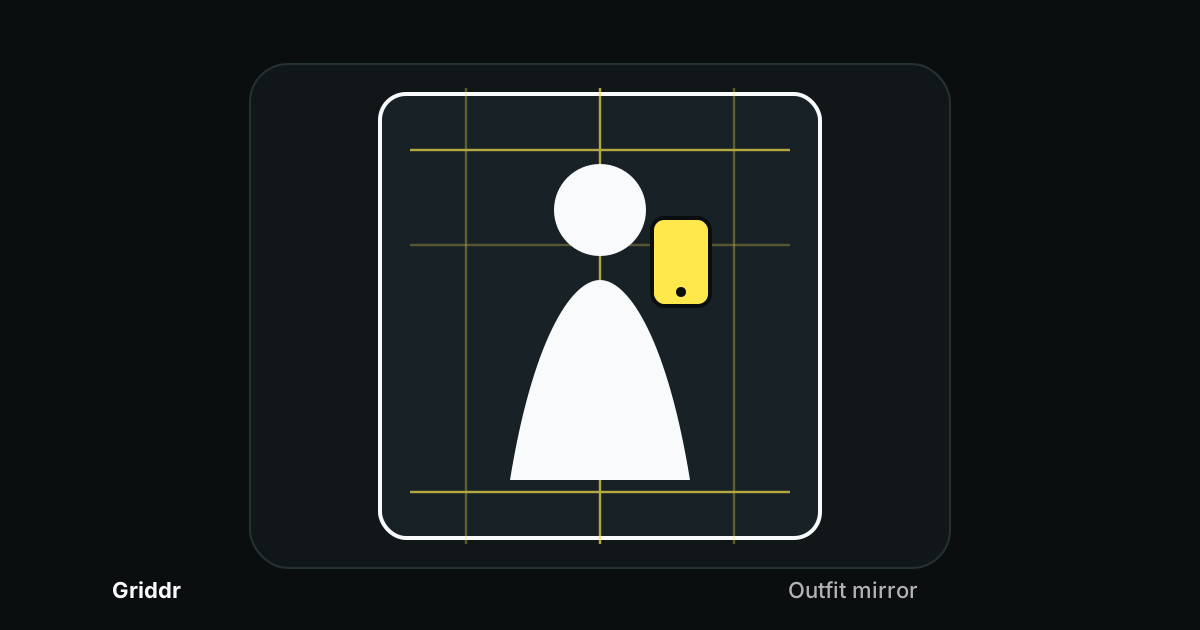
In Griddr, create a grid called Outfit mirror:
- Add a vertical center line at 50%.
- Add vertical side rails at 33% and 66%.
- Add a headroom guide at 12%.
- Add a shoe crop guide at 88%.
- Add a small phone zone on the upper third.
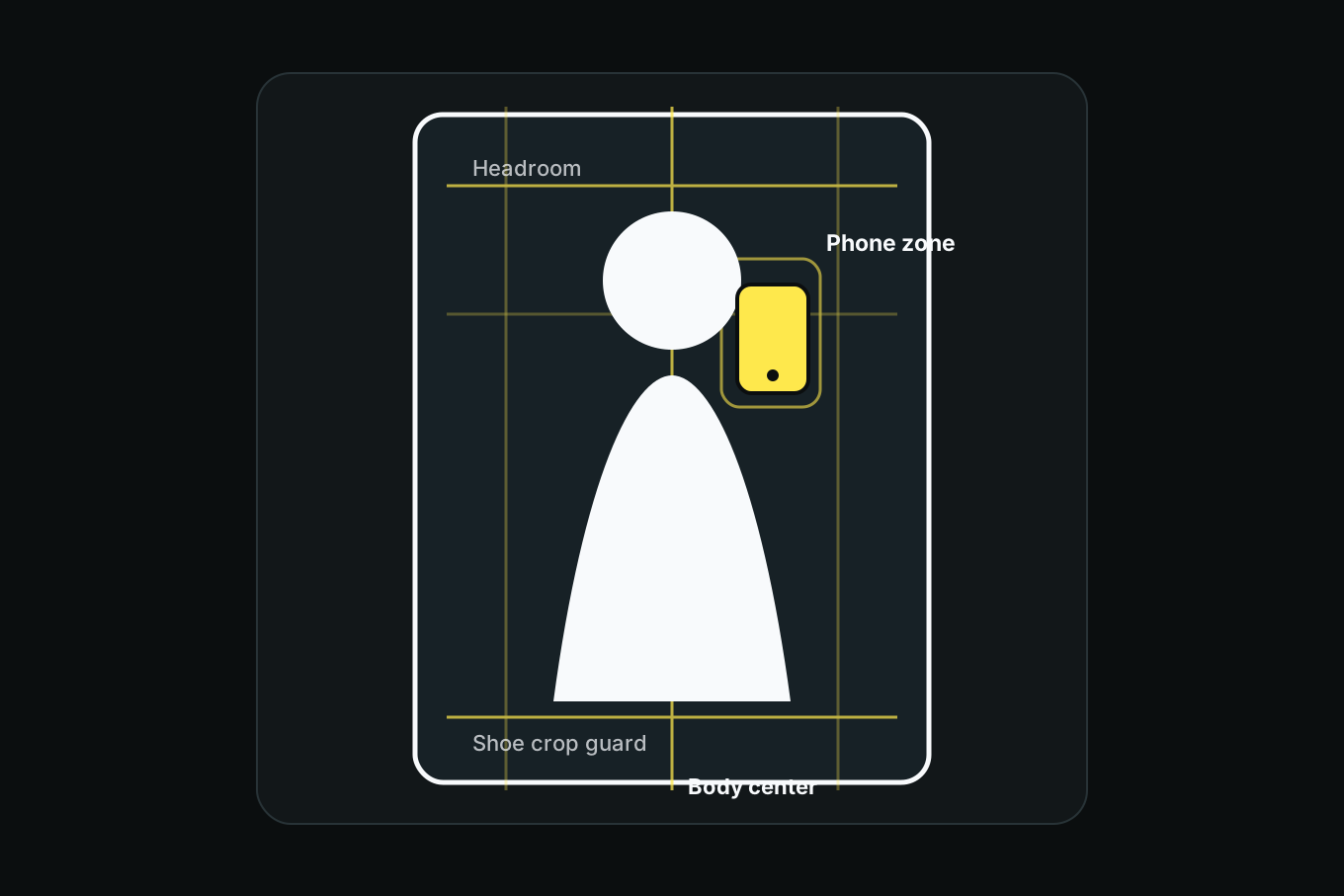
This grid keeps the outfit readable. It gives you a place for the body, a place for the phone, and a warning before shoes or hair get clipped.
Place the phone on purpose
The phone is part of the photo. Treat it like a prop, not an accident.
For full outfit photos, place the phone near the upper third, slightly off the body center line. This keeps the torso visible and avoids covering the main shape of the outfit. If the phone covers the jacket closure, logo, neckline, or waist detail, move it.
For detail photos, phone placement can be more relaxed. If the photo is about a bag, sleeve, necklace, shoe, or fabric texture, move closer and put the detail inside the safe-margin area.
One test: if someone can understand the outfit shape in two seconds, the phone placement is working.
Keep the body line clean
Use the center line as a posture check. You do not have to stand perfectly straight, but the body should not drift by accident.
Try three versions:
Centered. Best for clean outfit documentation. Body on the center line, phone slightly off-center.
One-third stance. Best when the background is useful or you want negative space. Put the body on a vertical third and keep the empty side clean.
Diagonal pose. Best for movement, coats, wide-leg pants, dresses, or anything with shape. Let the pose create a diagonal while the mirror edge stays straight.
The body can move. The mirror should not.
A good mirror selfie makes the outfit easy to read before it makes the pose interesting.
Watch the top and bottom crop
Most outfit selfies fail at the edges. Hair touches the top. Shoes are cut off. The hand breaks the side edge. A bag strap disappears. These are tiny mistakes that make the photo feel cramped.
Use the headroom and shoe crop guides. Leave a little space above the head and below the shoes for a full outfit. If the photo is a half-body crop, commit to the crop: cut at mid-thigh, waist, or chest, not randomly through knees, wrists, or ankles.
This is the portrait version of the eye line and headroom grid. Outfit photos just add shoes and phone placement to the problem.
Clean the background with the grid
The background does not need to be empty. It needs to be quiet.
Check what falls in each third of the frame. If one third contains a laundry pile, open door, bright lamp, messy shelf, or high-contrast object, it will compete with the outfit. Move yourself, move the object, or crop tighter.
If you cannot clean the room, use the body to block the mess and keep the loudest background details out of the center third.
Quick mirror selfie checklist
Before shooting, check:
- mirror edge parallel to the grid
- phone not covering the main outfit detail
- head and shoes inside crop guides
- body centered or intentionally on a third
- background quiet in the empty third
- no bright object touching the head or shoulders
Shoot three frames: centered, one-third stance, and detail crop. The best one is usually obvious after you stop trying to fix everything in one image.
Common mirror selfie mistakes
Phone in the center of the outfit. Move it to the upper third or side rail so the outfit shape stays visible.
Cropping shoes by accident. If shoes matter, give them a crop guide. If they do not, crop higher on purpose.
Leaning with the mirror. The mirror edge should agree with the grid even if the pose is relaxed.
Too much room above the head. Empty wall can make the outfit feel small. Use headroom intentionally.
Background stealing the frame. A bright object behind the body becomes part of the outfit, whether you want it or not.
A mirror selfie is still a composed photo. Once the grid handles mirror edges, phone placement, crop, and background noise, the outfit finally gets to be the subject.
Related reading
Shoot this with Griddr
Get Griddr — free on iOS & Android