A
Ambient
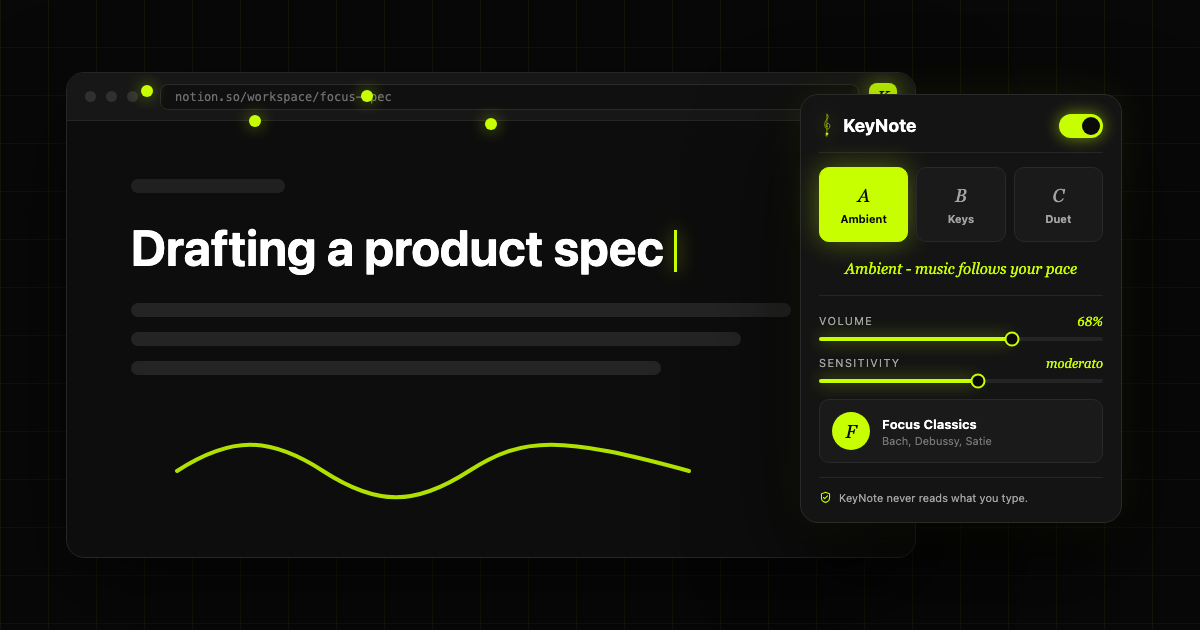
Music follows your pace
A soft classical loop fades in while you type. Intensity rises with your WPM and settles when you pause.
Classical music that follows your typing.
Turn long browser writing sessions into a responsive classical score. KeyNote adapts to your cadence, rewards flow, and stays silent about what you type.
Three ways to write
Music follows your pace
A soft classical loop fades in while you type. Intensity rises with your WPM and settles when you pause.
Every key plays a note
Each keystroke triggers a musical note from a coherent scale, so even messy drafts sound intentional.
Typing plays with the music
A quiet background layer stays present while bursts of typing trigger melodic motifs on top.
The extension is designed around timing-only key events. It knows that typing happened, how quickly it happened, and which music state should respond. It does not need the content of your draft.
Launch shape
KeyNote starts with a focused Chrome experience: a compact popup, one free pack, local preferences, and enough control to keep the music delightful instead of distracting.
Focus Classics included at launch
Premium composer packs planned as one-time purchases
Volume, sensitivity, mode, and per-site disable controls
Chrome extension architecture with local storage defaults
Coming to Chrome
The page is ready to introduce the extension while the store listing, sound pack previews, and launch assets come together.

Griddr.
Photo grids, made simple

Ethan Tales
Personalized toy storybooks

Next Break
Smart tips to take a break

Suni
Your beautiful sunshine journal

Vibe Alarm
Set a vibe for your alarm

VoiceMerge
Voice memos, joined

Keep My Credit Card
Avoid Inactive Card Closures

Next Moment
Capture life moments across time

Digital Sunset
Take back your evenings